
Share Claude HTML artifacts as live URLs
Turn Claude HTML or Claude Code output into a live HTTPS page. Upload or paste one file, publish a static build, or let Claude deploy through CLI or MCP.
Answer First
Claude Code can now publish a native Artifact when the result is one self-contained HTML or Markdown page. Use that native flow when the artifact belongs to the Claude session and fits its sharing and Content Security Policy limits. Use PreviewShip when you need to publish an existing HTML file, a multi-file static folder or framework build, or when an agent should deploy through CLI/MCP and return an independent preview URL.
Deploy build artifacts, not source-code zips.
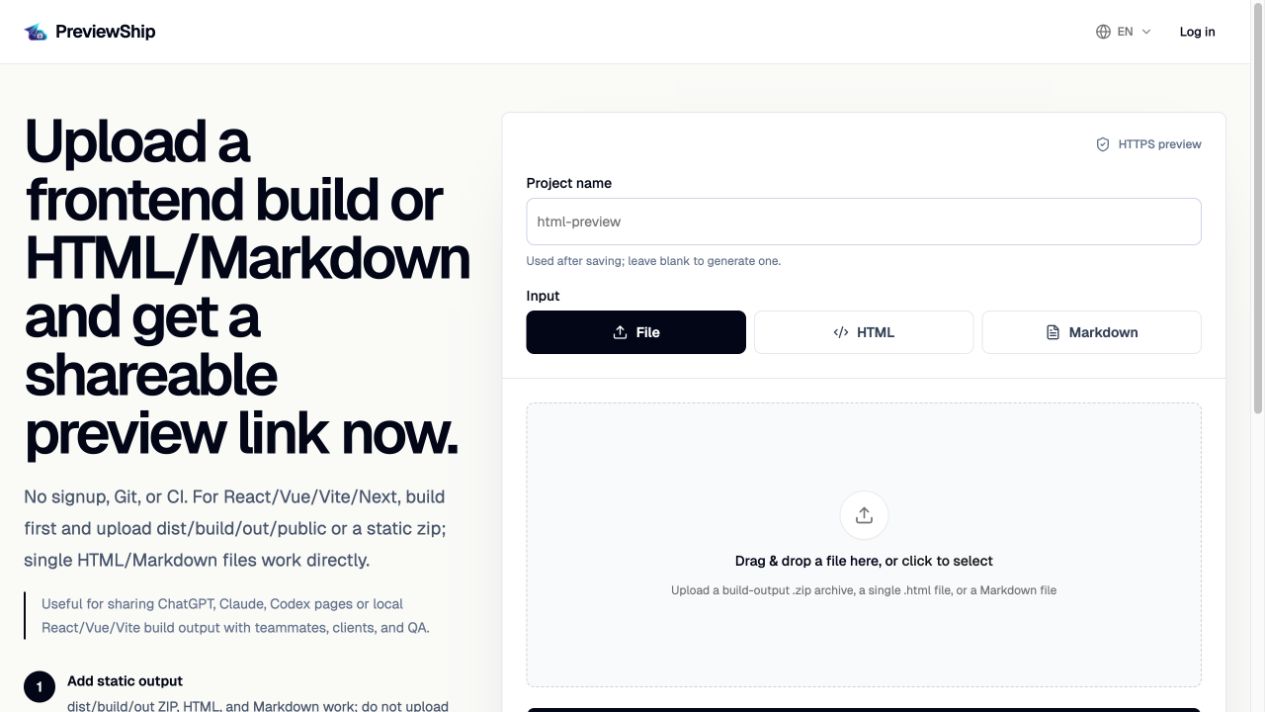
If you upload a zip, build the project first and zip the static output folder such as dist, build, out, or public with index.html and assets. Do not zip raw React/Vue/Next source folders with package.json and node_modules. Single .html, .md/.markdown, and .pdf files are supported directly by console upload, CLI, MCP, and the VS Code/Cursor extension.
Key takeaways
Recommended workflow
Decide whether the output is a Claude-session Artifact, one local HTML file, or a multi-file/static framework build.
Use Claude Code native Artifacts for a self-contained page that should stay attached to the Claude session and fits the native page constraints.
Use PreviewShip upload, paste HTML, `npx previewship deploy ./report.html --json`, or MCP for local files, static folders, and independent preview links.
Open the returned URL, verify assets and interactions, then include the live link in the handoff or review note.
Comparison snapshot
Native Claude Artifact or PreviewShip?
Claude Code native Artifacts are a strong default when Claude is creating one self-contained page inside a signed-in session. Claude can publish the page, update the same Artifact, and expose the appropriate share controls for the current plan or organization.
PreviewShip solves a different last mile. Use it when the output already exists on disk, includes a static asset folder, comes from a framework build, or needs an independent preview URL returned by upload, CLI, MCP, VS Code, or Cursor.
How to share Claude HTML
The highest-intent workflow behind how to share Claude HTML is simple: Claude generates a complete HTML page, you publish that artifact, and reviewers open a live URL. This avoids sending raw code or asking someone to download an attachment.
PreviewShip supports the same Claude HTML preview workflow from the browser, CLI, MCP, VS Code, and Cursor, so it works whether the artifact came from Claude chat, Claude Code, or another agent.
Host Claude HTML without GitHub
GitHub Pages is useful for repository-backed sites, but a Claude-generated one-off HTML artifact usually does not need a repo, branch, build configuration, or DNS setup.
PreviewShip keeps the job narrow: browser-ready artifact in, public preview URL out. That makes it a better fit for reports, demos, prototypes, dashboards, and review pages generated during an AI conversation.
Claude HTML preview for agent workflows
MCP lets Claude Code call a PreviewShip deploy tool instead of merely suggesting a command. The workflow becomes complete: generate or build the page, deploy the browser-ready artifact, verify the result, and return the link.
If Claude creates a full app instead of one HTML file, ask it to run the framework build and deploy the output folder. If it creates one .html artifact, deploy that file directly.
Native Artifact constraints to check first
Claude Code documents native Artifacts as one self-contained page under a strict Content Security Policy. External requests are blocked apart from supported connector calls, ordinary backend storage is unavailable, and the rendered page must stay within the documented size limit.
The current documented rendered-size limit is 16 MiB. Artifacts support .html, .htm, and .md source files, but not multiple routes or a separate asset folder. Those constraints explain why a local multi-file site or built frontend may belong on a static preview host instead. Make the choice from the artifact shape, not from the tool name.
From Claude artifact to public URL
When you see a path such as /home/claude/repo/index.html, that is a local agent workspace path, not something another person can open. The shareable object is the browser-ready HTML file or the static output folder behind that path.
A hostmyclaudehtml workflow means taking that Claude-generated HTML, uploading or pasting it, and sharing the resulting PreviewShip HTTPS URL. Reviewers get the real page, not a local path, attachment, screenshot, or code block.
Share strong examples in Showcase
After a Claude HTML preview is deployed, public non-guest projects can be submitted to PreviewShip Showcase from the console. Complete examples automatically receive an indexable detail page while the raw preview subdomain stays noindex.
Use Showcase for polished examples, demos, reports, and HTML artifacts that help future users understand what a live Claude HTML preview looks like.
Official sources
Product and workflow facts were verified against these official pages on 2026-08-10.
FAQ
How do I share Claude HTML with someone?
Save the Claude output as a complete .html file or paste the full HTML into PreviewShip. Deploy it and send the returned public HTTPS preview URL.
Can I host Claude HTML without GitHub?
Yes. PreviewShip can host a Claude-generated HTML file directly, so you do not need GitHub Pages, a repository, FTP, DNS, or server setup for a quick preview link.
Can I share a Claude HTML artifact without screenshots?
Yes. Deploy the artifact as a live PreviewShip URL and send the link. Reviewers can open the real HTML page instead of looking at an image or raw source code.
Does Claude Code already publish Artifacts?
Yes. Claude Code can publish native Artifacts for eligible signed-in plans and sessions. Use that path for a self-contained session-linked page; use PreviewShip when the output is a local file, static folder, framework build, or independent deploy workflow.
Can Claude Code deploy to PreviewShip directly?
Yes, when PreviewShip MCP is configured. Claude Code can call the deploy tool and return the preview URL.
Does this only work for Claude?
No. The same workflow applies to Cursor, Windsurf, Codex, ChatGPT-generated files, and other tools that produce static HTML.
What is /home/claude/repo/index.html?
It is commonly a local path inside an agent workspace. If that file is browser-ready HTML, deploy the file or its containing static output folder rather than sharing the local path itself.
What does hostmyclaudehtml mean?
It usually describes the same task: host Claude-generated HTML as a public browser URL. With PreviewShip, upload the .html file, paste the HTML, or let Claude Code deploy it through CLI/MCP.
Can I turn /home/claude/repo/index.html into a URL?
Yes. Deploy that index.html file directly if it is self-contained, or deploy its whole static folder if it references images, CSS, JavaScript, or other assets.
Can a Claude HTML preview be shared in Showcase?
Yes, if the project is public, non-guest, ready, and submitted from the console. The Showcase detail page is indexable, while the raw preview subdomain remains noindex.
Can I upload Claude’s source project zip directly?
Only if it is already a static output folder. For framework source projects, build first and deploy the generated dist/build/out folder.
Should I use MCP or CLI?
Use MCP when the agent should own the deploy step. Use CLI when you want a transparent terminal command or CI-friendly fallback.