
Publish HTML online and share a live HTTPS URL
Publish HTML online for free, host an HTML file, or turn HTML into a public HTTPS URL for AI pages, reports, prototypes, and static build output.
Answer First
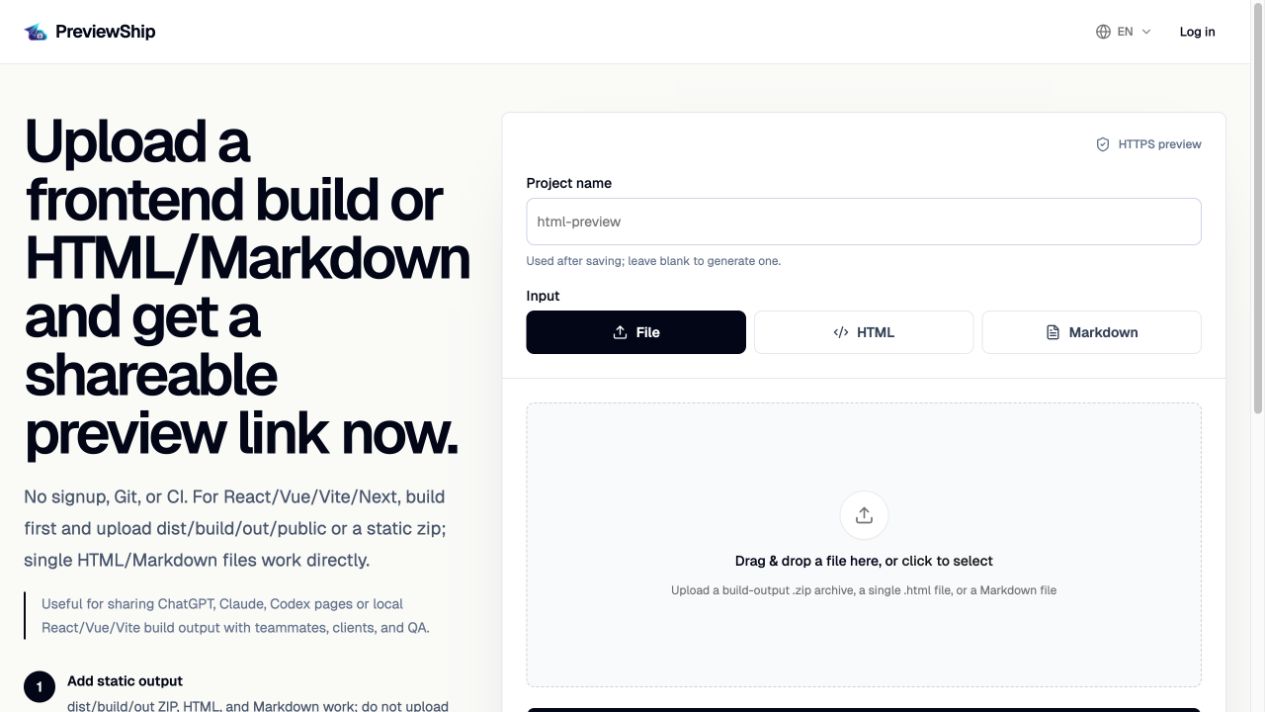
To publish HTML online, upload a single .html file, paste the HTML source, publish Markdown, or deploy a static build output folder from React, Vue, Vite, Next static export, Astro, Svelte, or plain HTML/CSS/JS. PreviewShip hosts the browser-ready artifact and returns a public HTTPS URL that you can share with clients, teammates, or an AI agent workflow.
Deploy build artifacts, not source-code zips.
If you upload a zip, build the project first and zip the static output folder such as dist, build, out, or public with index.html and assets. Do not zip raw React/Vue/Next source folders with package.json and node_modules. Single .html, .md/.markdown, and .pdf files are supported directly by console upload, CLI, MCP, and the VS Code/Cursor extension.
Key takeaways
Recommended workflow
Create or export your HTML file from ChatGPT, Claude, Cursor, a design tool, or a local editor.
Open PreviewShip Deploy and choose upload HTML, paste HTML, or run `npx previewship deploy ./page.html or ./README.md`.
Name the project and start the deployment.
Copy the live URL and share it with reviewers.
Comparison snapshot
Why HTML needs a public URL
AI tools now generate complete HTML pages for landing pages, research reports, calculators, dashboards, and small prototypes. The output is useful, but a local file is hard to review on another device.
Publishing HTML online turns the artifact into a normal web page. Reviewers can open it on mobile, share it in Slack, comment on it, or test it in a browser without downloading files.
What PreviewShip accepts
PreviewShip supports three common inputs: a single .html/.md/.markdown file, pasted HTML source, or a built static output folder. The first two are ideal for AI-generated one-page artifacts. The third is ideal for React, Vue, Vite, Next static export, Astro, Svelte, and other framework builds.
If your zip contains package.json, src, and node_modules, it is probably source code rather than deployable static output. Build it first and deploy dist, build, out, public, or another folder that contains index.html.
When the job is simply HTML to public URL
If you already have browser-ready HTML, the practical goal is to make it open from a link without rebuilding the project around a hosting platform.
PreviewShip accepts a single HTML file, pasted HTML, Markdown, or static build output, then returns a public preview URL without asking you to create a repository first.
Choose the shortest path for the artifact you have
Use direct upload or paste for one complete HTML file. Use a built static folder for local assets or framework output. Use CLI or MCP when the deploy step belongs inside a repeatable developer or agent workflow.
FAQ
Can I publish one HTML file without zipping it?
Yes. PreviewShip supports direct .html upload and pasted HTML source in the console, plus single-file deploys from CLI, MCP, VS Code, and Cursor.
Can I publish HTML online for free?
Yes. PreviewShip has a free plan for lightweight HTML and Markdown preview deployments. Free preview links are intended for review, demos, and temporary sharing rather than production hosting.
Does PreviewShip preserve my HTML meta tags?
PreviewShip deploys the HTML artifact as static output. Any title, meta description, Open Graph tags, and JSON-LD that are inside the HTML remain part of the page.
Can I publish HTML generated by ChatGPT or Claude?
Yes. Save the generated code as a .html file, paste it into the console, or let an MCP-compatible agent deploy it directly.
Is this the same as production hosting?
PreviewShip is optimized for fast preview sharing. Use it for reviews, demos, prototypes, and temporary public links rather than full production hosting workflows.