
Host an HTML file online free and get an HTTPS link
Upload or paste an HTML file and get a public HTTPS preview link without Git, FTP, DNS, cPanel, or server setup. Multi-file pages can use a static ZIP.
Answer First
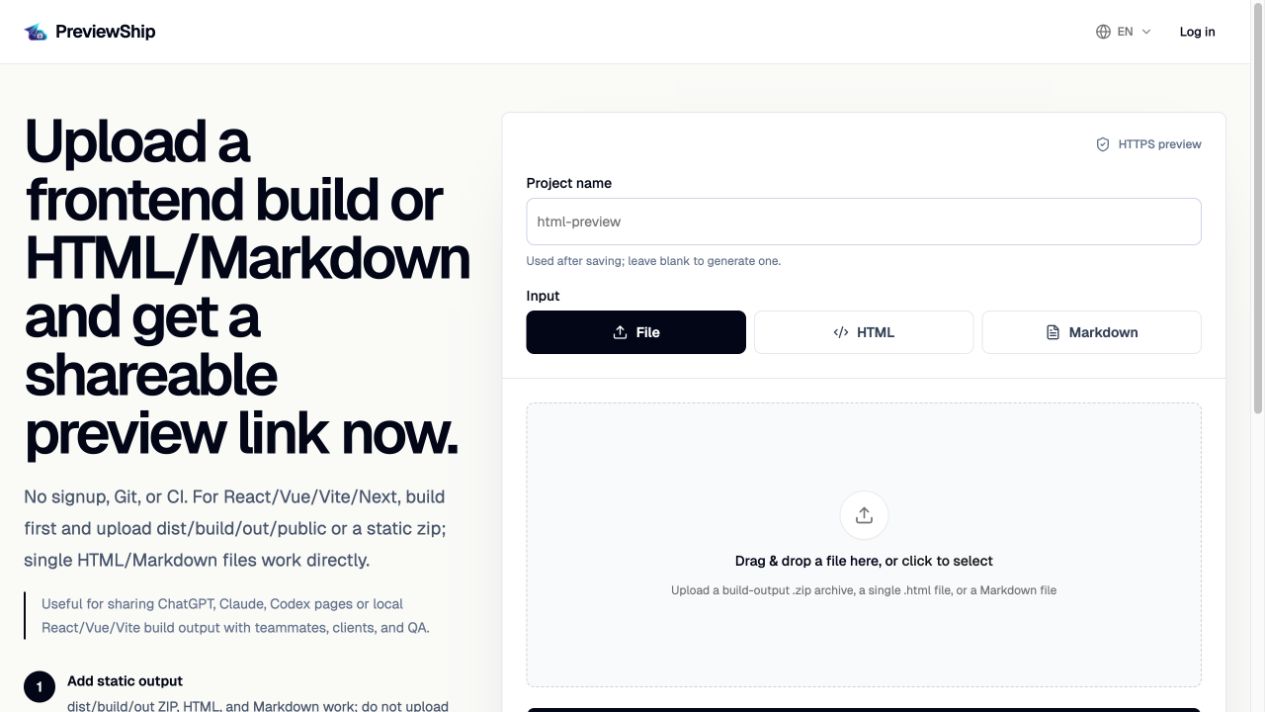
To host an HTML file online free, upload the .html or Markdown file to PreviewShip, paste the HTML source, or deploy the file with `npx previewship deploy ./page.html` or `npx previewship deploy ./README.md`. PreviewShip publishes it as a static preview and returns a public HTTPS URL without requiring FTP, Git, DNS, cPanel, or server setup.
Deploy build artifacts, not source-code zips.
If you upload a zip, build the project first and zip the static output folder such as dist, build, out, or public with index.html and assets. Do not zip raw React/Vue/Next source folders with package.json and node_modules. Single .html, .md/.markdown, and .pdf files are supported directly by console upload, CLI, MCP, and the VS Code/Cursor extension.
Key takeaways
Recommended workflow
Check whether your page is one .html file or a folder with assets.
Use direct HTML upload for one file, or zip the build output if assets are required.
Deploy in PreviewShip and wait for the generated preview URL.
Open the URL in a browser and share it with reviewers.
Comparison snapshot
The fastest path for a standalone page
When a page is one HTML document, the fastest hosting path is upload or paste. PreviewShip turns that input into a browser-ready static preview and gives you a link to share.
For generated HTML from ChatGPT, Claude, Gemini, Cursor, or other AI tools, this avoids the awkward step of sending raw code to a reviewer.
Host HTML file online free: what to upload
Use one .html file when the CSS and JavaScript are inline or loaded from remote URLs. Use a folder or zip when the page references local images, fonts, CSS, JavaScript, or other assets.
For React, Vue, Vite, Next static export, Astro, or Svelte projects, build first and deploy the generated dist, build, out, or public folder. PreviewShip hosts browser-ready output; it does not install dependencies after upload.
Host HTML online without cPanel or FTP
A traditional HTML web hosting workflow can require cPanel, FTP, a repository, or DNS changes. That is too heavy when you only need a live preview URL for one artifact.
PreviewShip keeps the deployment small: upload or paste the HTML, publish it, then use the generated URL for review, client approval, or AI agent handoff.
HTML web hosting versus preview hosting
Full HTML web hosting is right when you are operating a production site with domains, releases, analytics, and long-term site operations. Preview hosting is right when the immediate job is to show a static artifact to someone else.
PreviewShip sits in that second lane: HTML file in, public HTTPS link out, with project history and fixed review URLs for repeated updates.
When to use a zip instead of one HTML file
Use a zip when the page has local CSS, JavaScript, images, or fonts. The zip should be static build output, not a raw framework project.
FAQ
Can I host an HTML file online for free?
Yes. PreviewShip has a free plan for lightweight preview deployments, including single HTML files, Markdown files, pasted HTML, and browser-ready static artifacts.
What is the fastest way to host an HTML file online?
If the page is one complete HTML document, upload the .html file or paste the source into PreviewShip. If it has local assets, deploy a static folder or zip that includes those assets.
Is this HTML web hosting or a preview link?
PreviewShip is preview hosting for browser-ready static artifacts. It gives you a public HTTPS URL for sharing and review, but it is not a full production hosting platform for backend services.
Can I deploy HTML without Git or FTP?
Yes. Upload a .html file, paste HTML, upload a static zip, or deploy with CLI/MCP. Git, FTP, cPanel, DNS, and server setup are not required for the preview URL.
Can I host HTML without a domain?
Yes. PreviewShip gives you a public preview URL, so a custom domain is not required for quick sharing.
Can an AI agent host the HTML for me?
Yes. PreviewShip MCP lets compatible agents deploy a static output folder or single HTML/Markdown artifact and return the URL in the conversation.
Is PreviewShip a Netlify Drop alternative for one HTML file?
Yes, when the job is to upload one HTML file, paste HTML, or share a static preview URL. Netlify remains a better fit for full production site hosting and broader Netlify platform workflows.